You can modify the security settings in the Microsoft Authenticator app, including whether a device lock (such as a PIN, fingerprint, or face recognition) is required to open the app or approve sign-in requests.
Disable App Lock
Follow these steps to remove the requirement to unlock your device when opening the app or approving a notification:
- Open the Microsoft Authenticator app.
- Unlock your device if prompted.
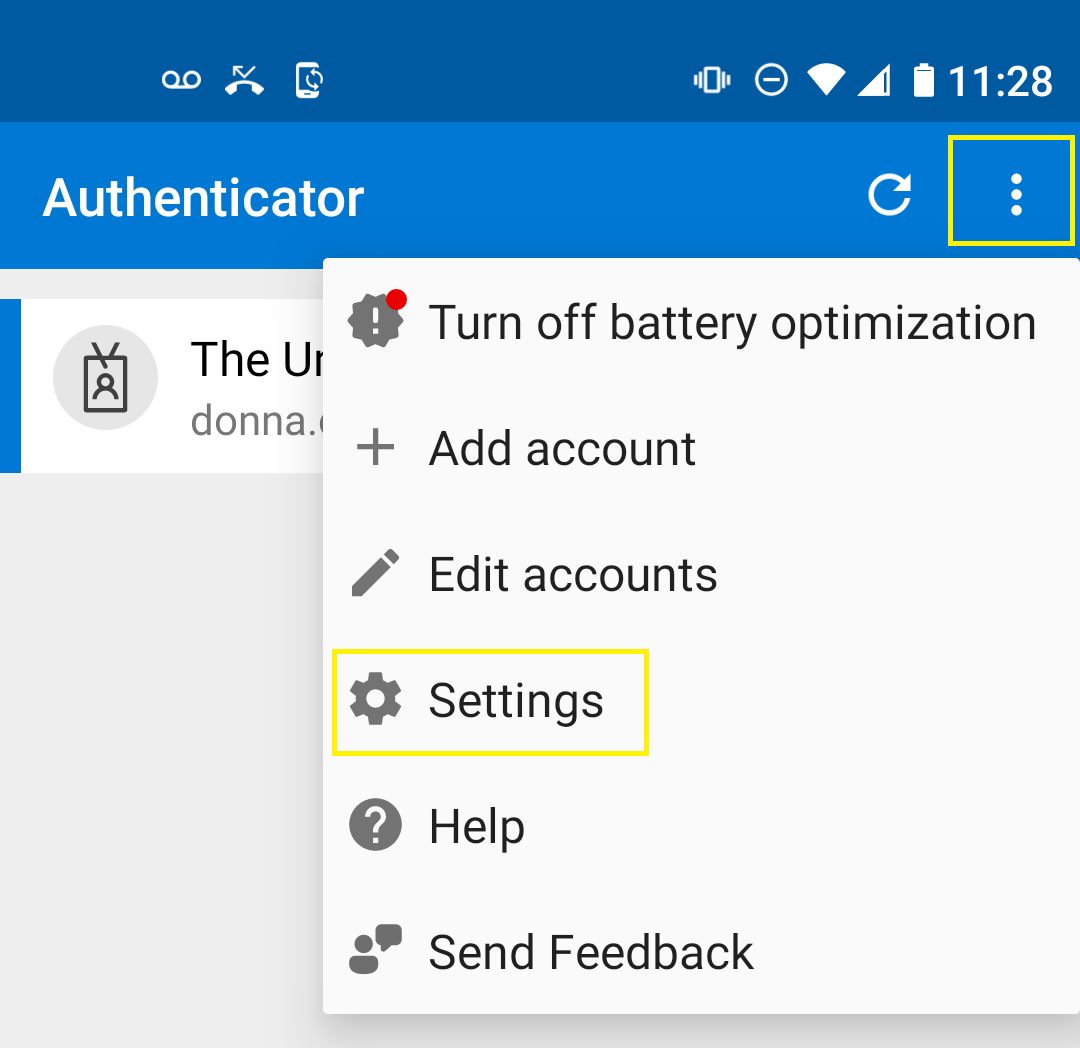
- Tap the menu (three dots) and select Settings.
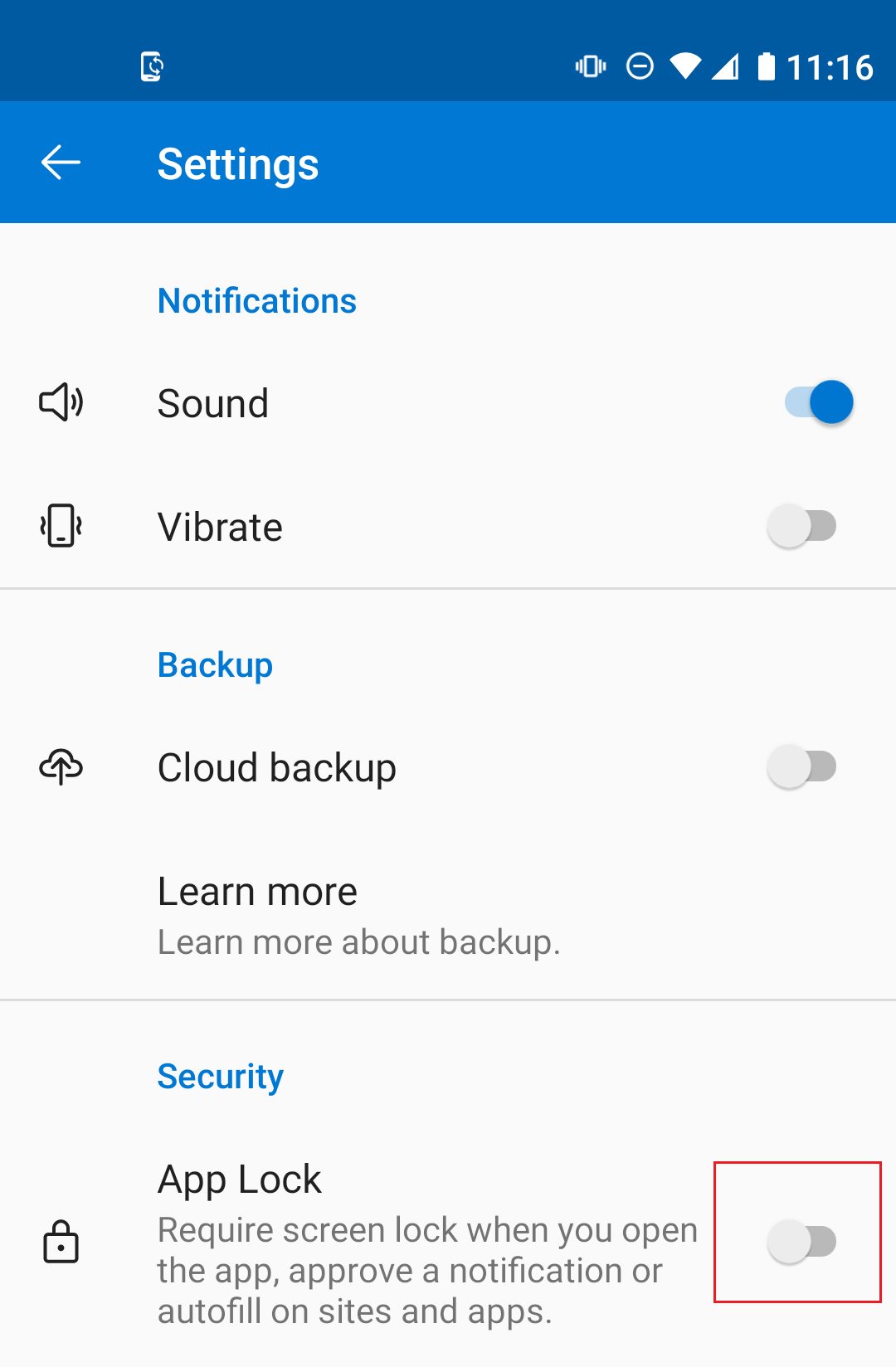
- Under the Security section, turn off App Lock.
- Close the app.