The meeting organizer, or a presenter with the appropriate permissions, can end a Microsoft Teams meeting for all participants. This action immediately disconnects everyone from the session.
End a Meeting for All Participants
- During the meeting, select More actions from the meeting controls.
- Select End meeting.
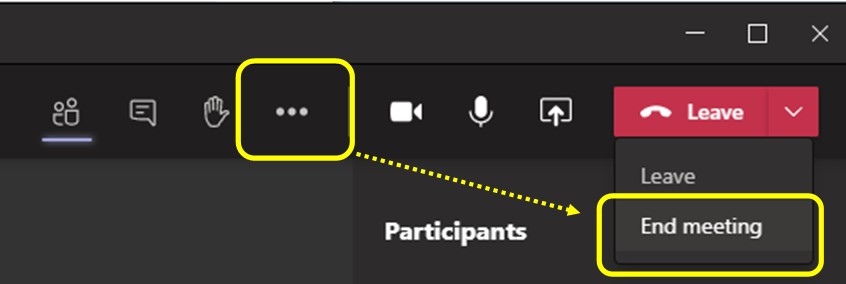
- Select End to confirm.
All participants are removed from the meeting once it is ended.
Additional Information
- This option is only available to the meeting organizer or presenters with permission.
- Users who leave the meeting without selecting End meeting will not end the session for others.
- Steps and interface options may vary based on Teams updates.
For the most up‑to‑date instructions, refer to the Microsoft support article: End a meeting in Microsoft Teams.