Video: Reset or Unlock Your UTRGV Account
Prefer written instructions? Follow the steps below to reset your password or unlock your account.
Instructions
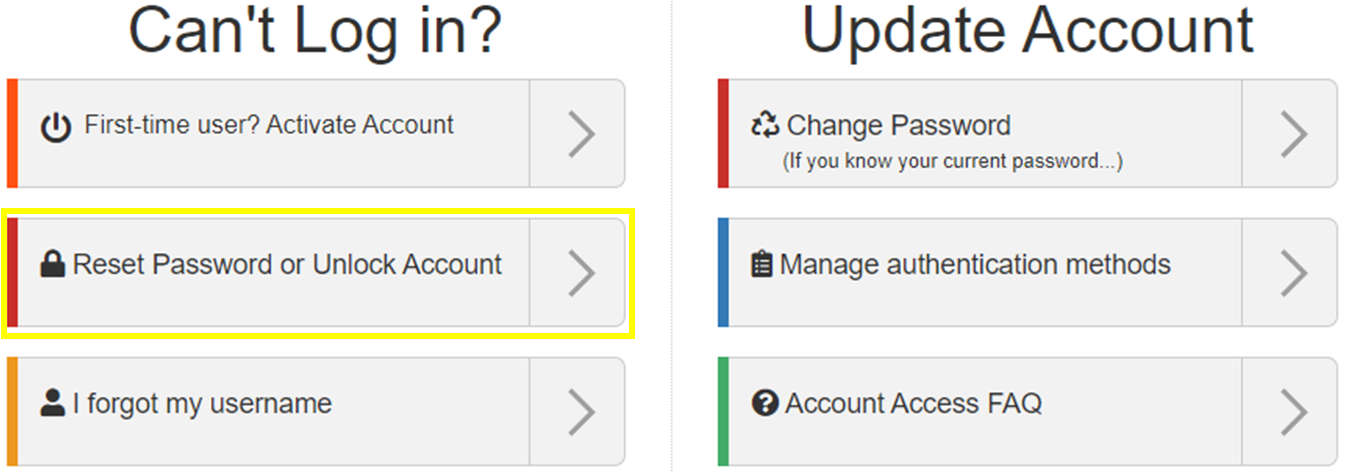
1. Visit the Account Management Self‑Service webpage and select Reset Password or Unlock Account.
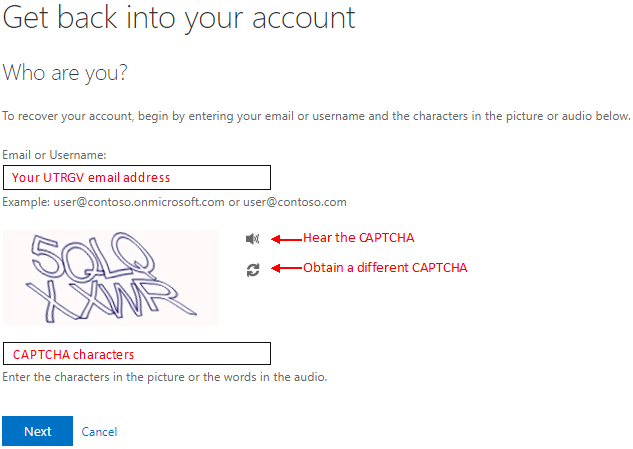
2. Enter your UTRGV email address and the CAPTCHA characters, then select Next.
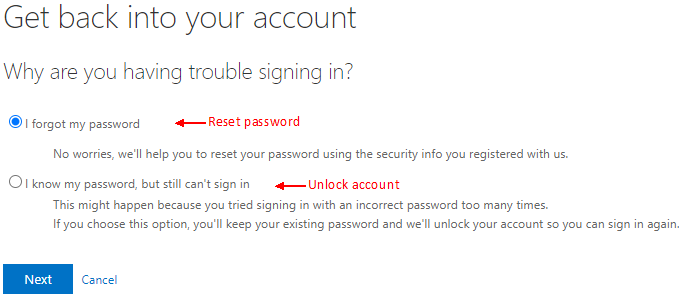
3. Select the option that best describes your situation, then select Next:
- I forgot my password
- I know my password, but still can’t sign in
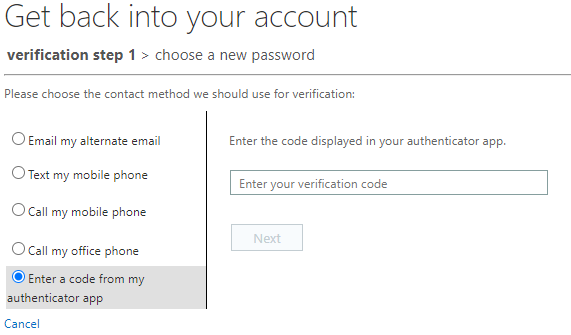
4. Choose a verification method and follow the on‑screen prompts to verify your identity.
5. Complete the action based on your selection.
If you forgot your password:
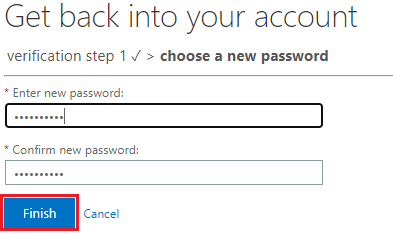
Enter a new password, confirm it, then select Finish.
Password requirements
Your password must meet the following requirements:
- At least 10 characters
- Cannot include your first or last name
- Cannot reuse a previous password
- Must meet at least 3 of the following:
- One uppercase letter
- One lowercase letter
- One number
- One special character
Example: S+rOngP4sswOrd
If your account was locked:
A confirmation message will display indicating your account has been successfully unlocked.

After You Regain Access
Review your sign‑in and authentication methods on the My Sign‑Ins page to ensure your information is accurate and up to date.
Additional resources:
Need Help?
Contact or visit the IT Service Desk for additional support.