Body
Use this guide to update your existing phone number or personal email address used for Multifactor Authentication (MFA) or password reset. This guide applies only if you already have an authentication method set up.
Important: A personal email address does not count as a second authentication method as it is not used for sign‑in verification. It is used only for password reset purposes.
Video: Update Existing MFA Authentication Information
This video demonstrates how to update an existing phone number or personal email address for MFA or password reset using Microsoft My Sign‑Ins.
Update Your Authentication Information
- Go to myaccount.utrgv.edu.
- Select Manage authentication methods.
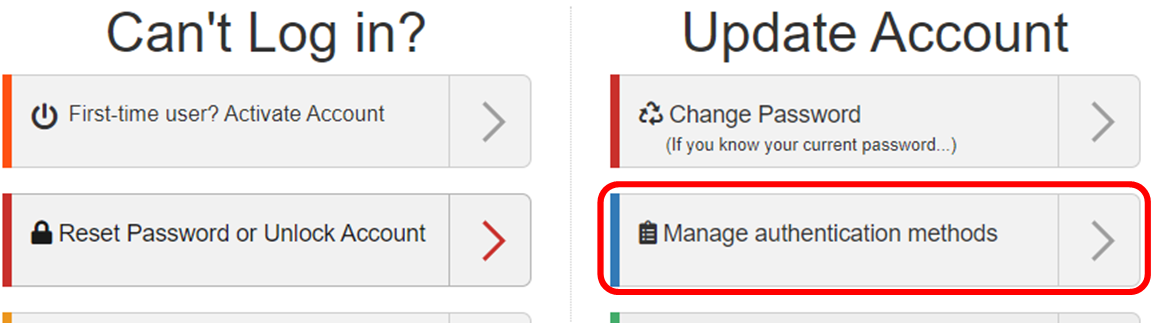
- Sign in using your UTRGV username and password.
- On the Microsoft My Sign‑Ins page, locate the authentication method you want to update.
- Select Change next to that method.
- Enter your updated phone number or alternate email address, then select Next.
Note: Both U.S. and international phone numbers are supported for MFA.
- Complete the verification steps if prompted.
Additional Resources
Additional Help and Support
If you are unable to access the My Sign‑Ins page, or if your MFA methods need to be reset, contact the IT Service Desk.
As part of UTRGV’s IT security protocols, identity verification is required for all MFA reset requests.
IMPORTANT:
DO NOT APPROVE AUTHENTICATOR NOTIFICATIONS THAT YOU DID NOT REQUEST. DO NOT PROVIDE AN MFA CODE TO ANYONE. HACKERS MAY ASK FOR A CODE VIA TEXT, PHONE, OR EMAIL - DO NOT PROVIDE IT. INFORMATION TECHNOLOGY STAFF WILL NEVER ASK FOR A CODE.
